![Nautilus-Logo-Color-TM-4.webp]](https://nautilussolar.com/hs-fs/hubfs/Nautilus-Logo-Color-TM-4.webp?height=50&name=Nautilus-Logo-Color-TM-4.webp)
Keeping your payment information up to date ensures uninterrupted solar savings. If your card has expired, you've switched to a new credit/debit card, or simply want a more convenient payment method, you can easily update your information in our customer portal.
Note: Nautilus Solar does not collect payment information from Illinois, Maryland, or New York residential customers.
Customers in these states are on utility consolidated billing which means solar charges and credits appear on the utility bill. As a result, we do not collect payment information for customers in these states.
We accept debit card, credit card, or a bank (ACH) account as payment methods in the Nautilus Solar customer portal.
Steps to Update Your Payment Information
-
Log in to your customer portal at https://nautilussolar.com/account.
-
Navigate to the left menu bar.
-
Click the 'My Payment Details' tab.
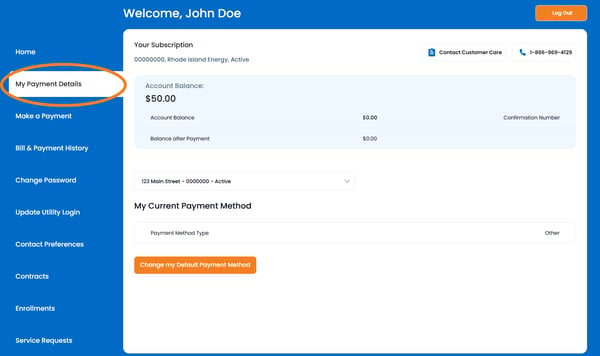
4. Click 'Change my Default Payment Method' to update your payment method.
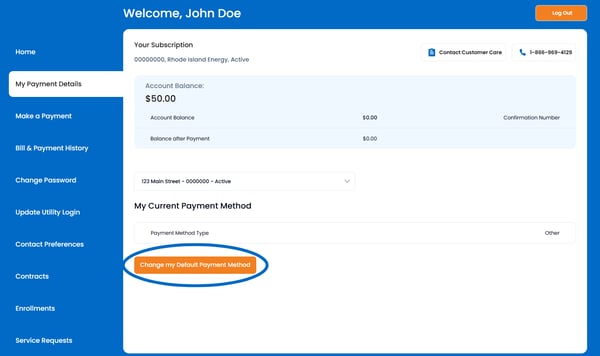
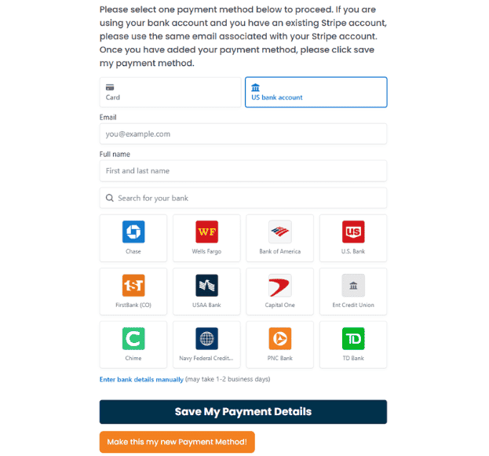
5. You can now add a new bank account, credit card, or debit card:
Option 1: Bank Account
Pay With Link: Using Link, you can securely authenticate through your financial institution and connect your bank account.
Select US bank account and then choose your financial institution to connect your payment method by logging in to your bank account.
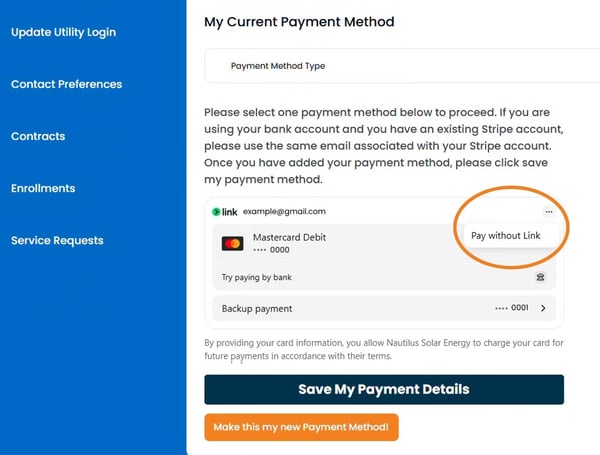
Pay Without Link: To update your payment method without the Link integration, click the 3 dots in the upper-right corner and select Pay without Link. Then you can manually add a new card or bank account.
-
Click Pay without Link in the right-hand corner.
-
To enter bank details manually, select US bank account tab and click Enter bank details manually.
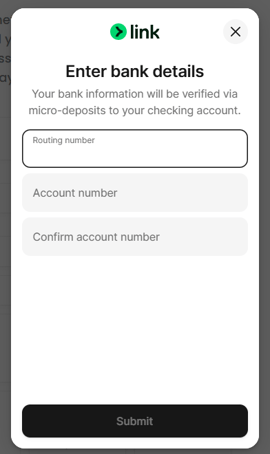
After entering your payment information, click 'Save My Payment Details'.
If you manually add a bank account, you'll receive a $0.01 deposit in your bank account within 1 to 2 business days. The transaction description for the deposit includes a 6-character verification code. Once you receive the code, return to this page and enter it to verify your bank account.
Option 2: Debit or Credit Card
To manually add a credit card to your account, click the Card tab and enter your payment information.
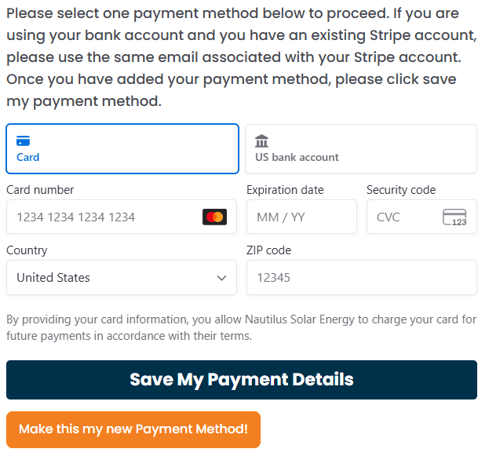
After entering your payment information, click 'Save My Payment Details'.
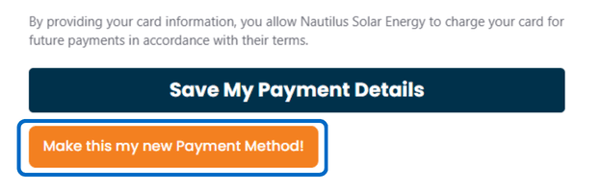
6. After you save your payment details and verify your account, click Make this my new Payment Method to set it as your default payment method.
Video Tutorial
Check out a quick video tutorial on the "My Payment Details" tab.
Still Having Trouble Updating Your Payment Info?
No worries! We are more than happy to help!
Give us a call at (866) 969-4129 or send us an email at customercare@nautilussolar.com.